FleetFire by Summit Fire Equipment

Stop chasing paper forms, photos, and scattered apparatus records.

FleetFire gives fire apparatus testing, repair, diagnostics, and fleet teams one place to guide field work, capture findings, attach evidence, generate reports, and keep every truck's history connected.

Built for the work that happens around the truck.

FleetFire is for teams that need cleaner records than clipboards, shared drives, inboxes, and camera rolls can provide.

Testing

Guided Test Workflows

Run pump, aerial, low-voltage, line-voltage, road, and weight verification workflows with technician-friendly steps, readings, timers, and validation.

Guided technician screens
Repair

Diagnostics and Repair Notes

Record customer concerns, findings, corrective actions, parts notes, labor notes, recommendations, and open follow-up items.

Repair-ready documentation
Records

Connected Apparatus History

Keep customers, stations, apparatus, inspections, tests, repair visits, statuses, signatures, evidence, and reports connected to the right unit.

Searchable fleet history
Reports

PDFs, Photos, and Signatures

Deliver branded reports with test results, repair findings, photos, signatures, issues found, and recommendations in one customer-ready file.

Clear customer output

See what technicians and managers work from.

FleetFire keeps the field workflow, report data, and truck history in one connected workspace so the next person does not have to hunt for the last record.
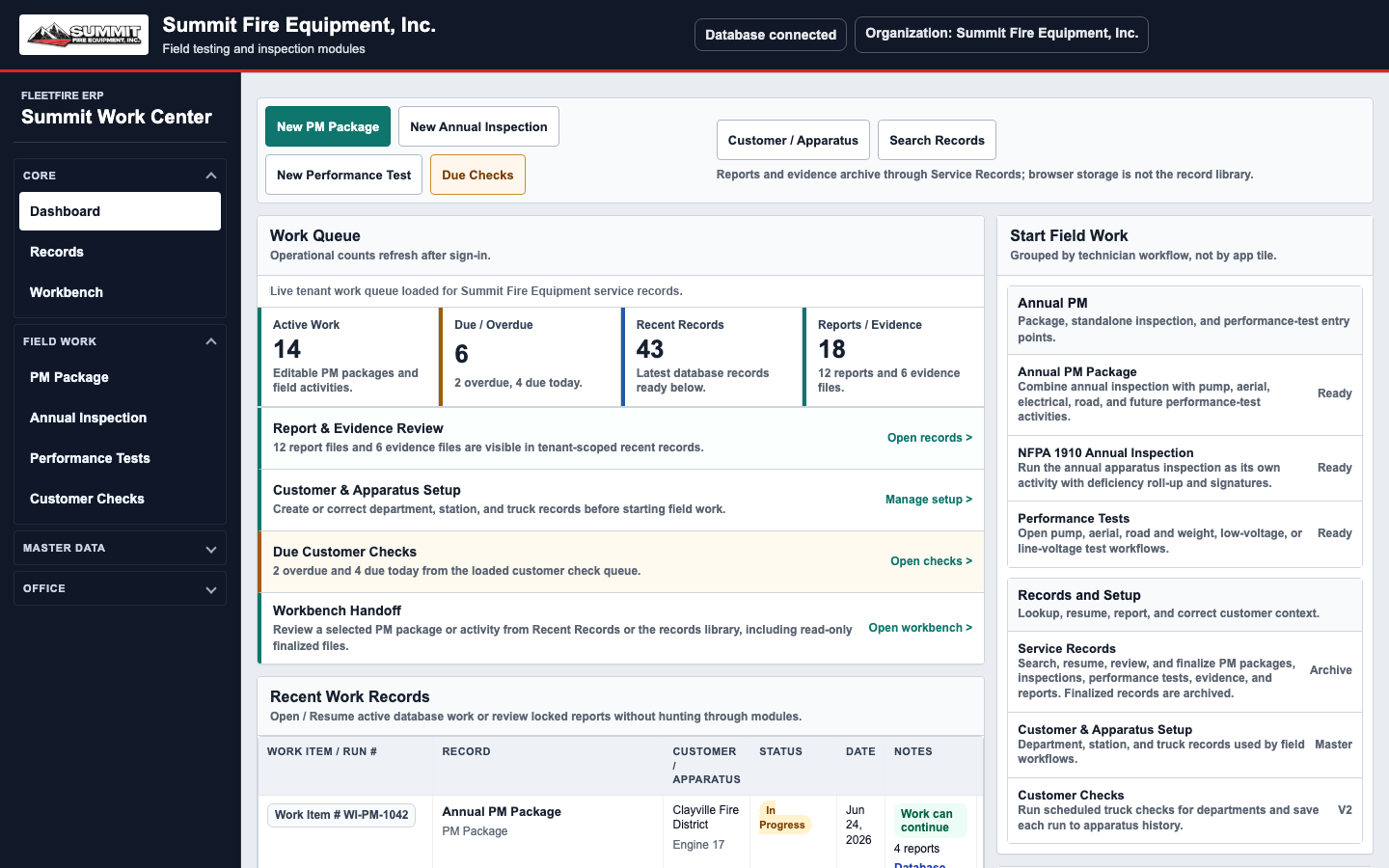
FleetFire dashboard showing modules, recent work, and fleet snapshot metrics
Start from the job. Open inspections, performance tests, repair work, recent records, and fleet activity from the same dashboard.
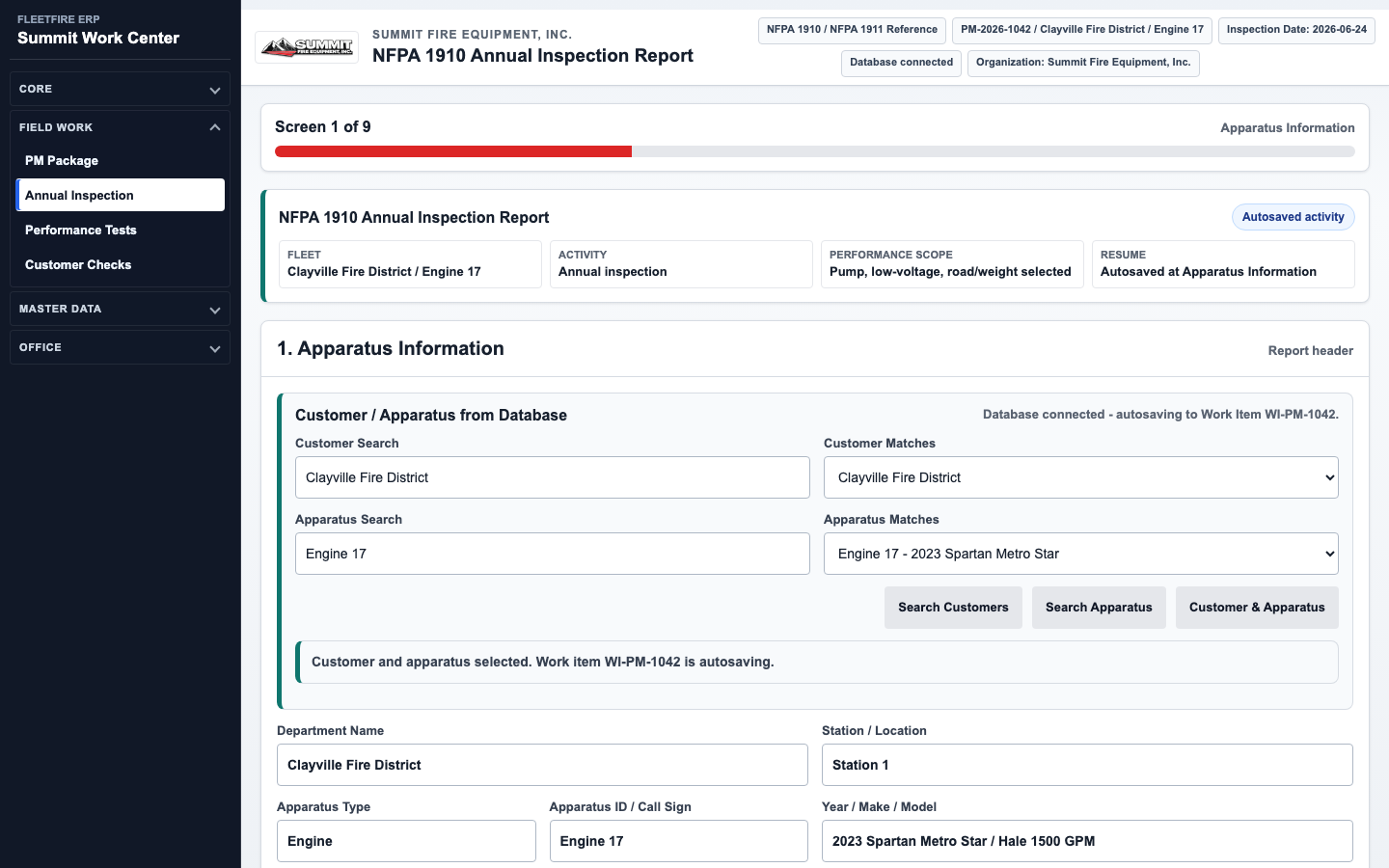
FleetFire annual PM workflow showing technician prompts, report data, and bottom navigation controls
Guide the technician step by step. Prompts, readings, pass/fail logic, evidence, validation, and report controls stay with the workflow.
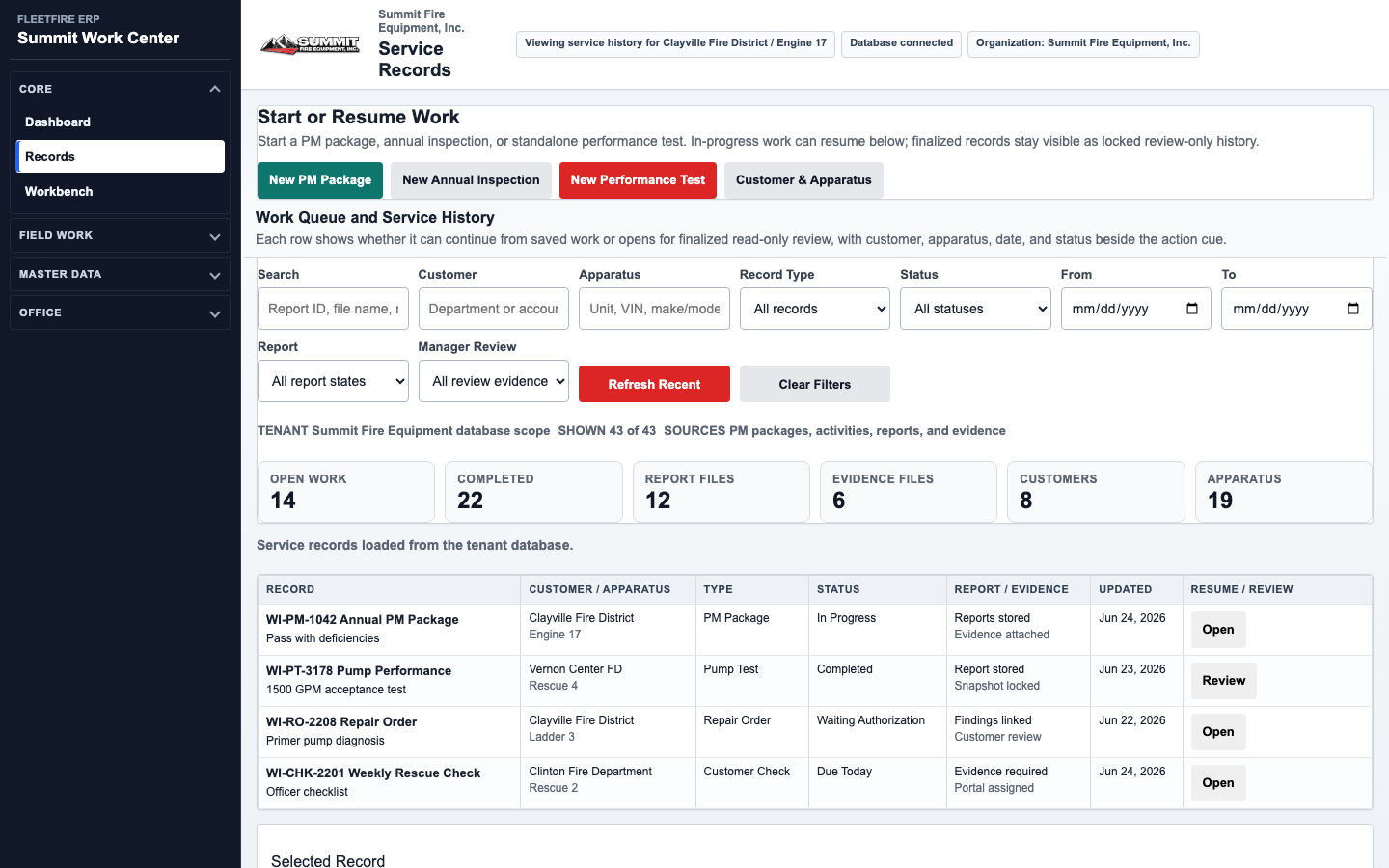
FleetFire Customer and Apparatus screen showing unit details and service history
Keep every unit's history connected. Customer records, apparatus records, repair visits, completed tests, and finalized reports stay tied to the truck.

Use it for one test, a repair visit, or a full service package.

Start with the job in front of you, then build a complete record as the work grows.

  • Run a standalone pump test, aerial test, electrical test, or road and weight verification.
  • Create annual inspection packages that include pump, aerial, electrical, road, or weight test results in the same report.
  • Document diagnostic work and repair recommendations without losing them in a separate note system.
  • Reopen unfinished records, review prior service history, and lock finalized reports after approval.
  • Support separate access for administrators, technicians, reviewers, and customers.
  1. Open the jobSelect the customer and apparatus, then choose the inspection, test, diagnostic workflow, repair visit, or PM package being performed.
  2. Capture the workRecord readings, pass/fail results, findings, photos, signatures, repair notes, and recommendations while the technician is still with the unit.
  3. Send the reportFinalize the record, generate the PDF, and keep the completed work available for future service history.

Pricing depends on your operation.

FleetFire can be set up for a small mobile service company, a repair shop, or a larger fleet management operation. We will help match the setup to your workflow, users, reports, and deployment needs.